We use cookies to offer you a more personalized and smoother experience. By visiting this website, you agree to our use of cookies. If you prefer not to accept cookies or require more information, please visit our Privacy Policy.
Necessary cookies These cookies are essential for the proper functioning of the website and cannot be turned off.
Analytics cookies These cookies help us understand how visitors use our website.
Marketing cookies These cookies are used to track visitors and display relevant advertisements.
Social media cookies These cookies allow you to share pages and content on social media.
Note: Due to the Serial Number (SN) on motherboard is the necessary information needed for RMA service, please must keep it in perfect condition. Please don’t alter, destroy or replace it. Otherwise, you will not be getting RMA service from ASRock.
Motherboard Series
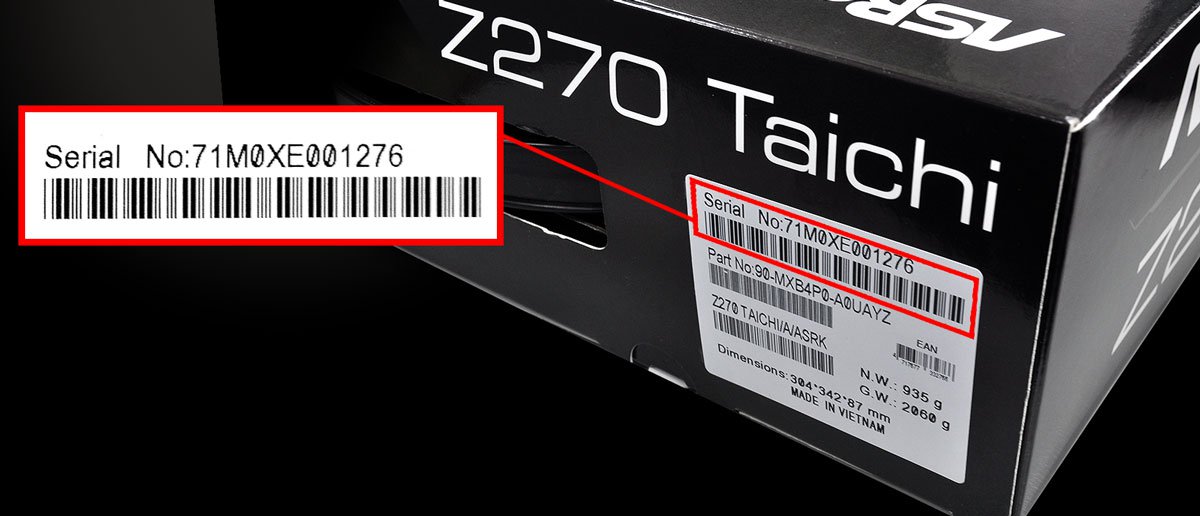
Check the motherboard gift box, you may find the Serial No. on the motherboard S/N sticker.
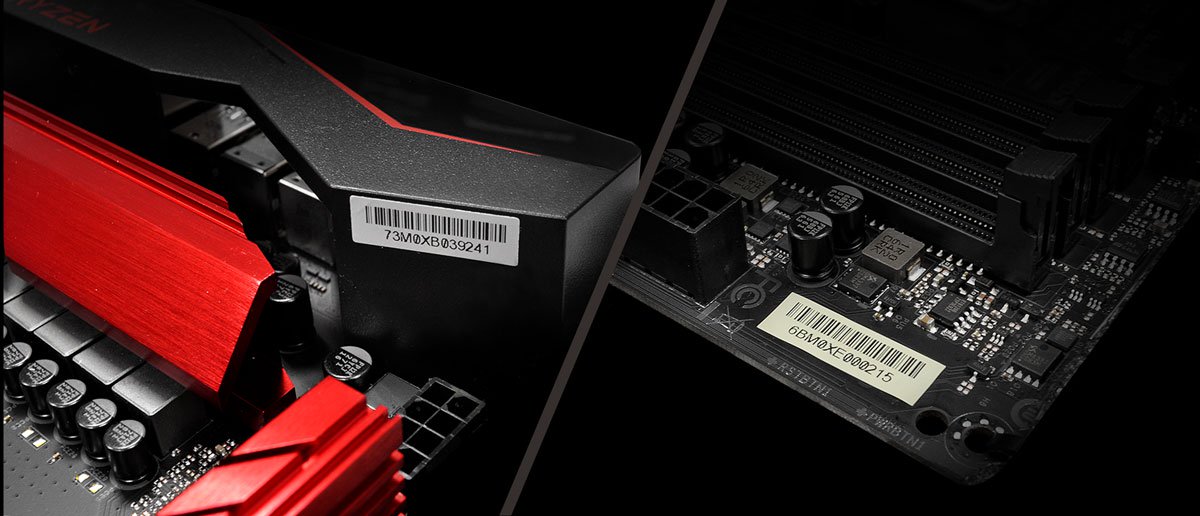
You may find the S/N sticker on the motherboard too. The S/N sticker is a white or gray color sticker, usually stick to somewhere near I/O back panel, like the LAN port or I/O cover.
Mini PC Series
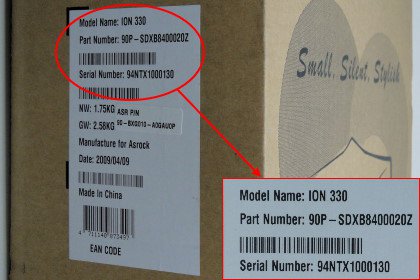
Check the Mini PC giftbox, you will find the S/N on model sticker. The sticker is usually post on the flank side of giftbox.
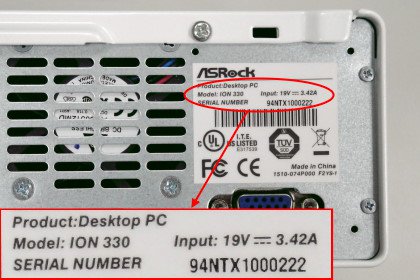
Check the Mini PC back side, you may find the S/N on the Mini PC model sticker. Ths sticker is usually shown on the right upper place of the Mini PC back side.
Graphics Card Series
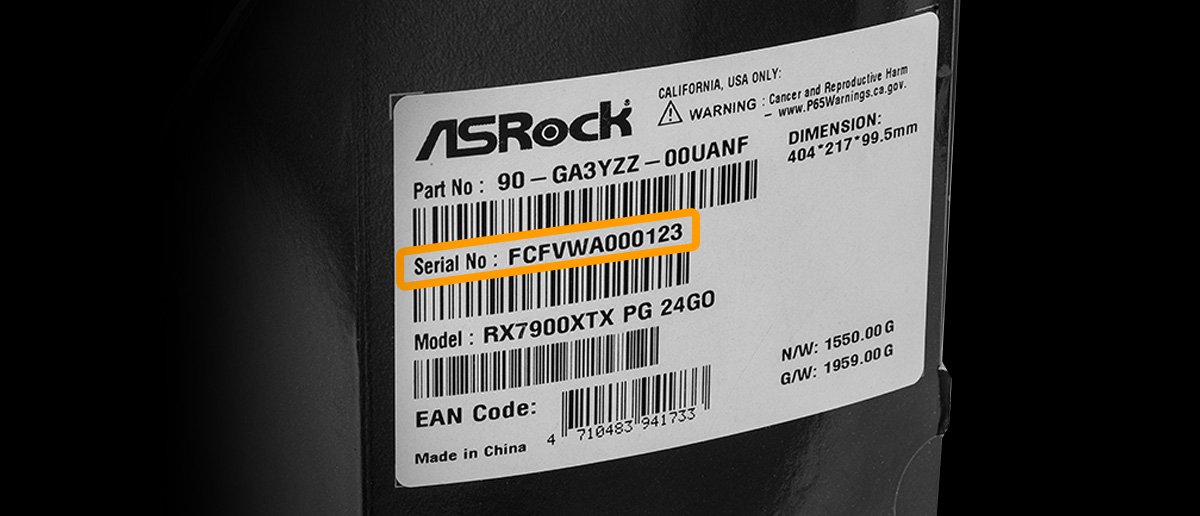
Check the graphics card gift box, you may find the Serial No. on the graphics card S/N stick
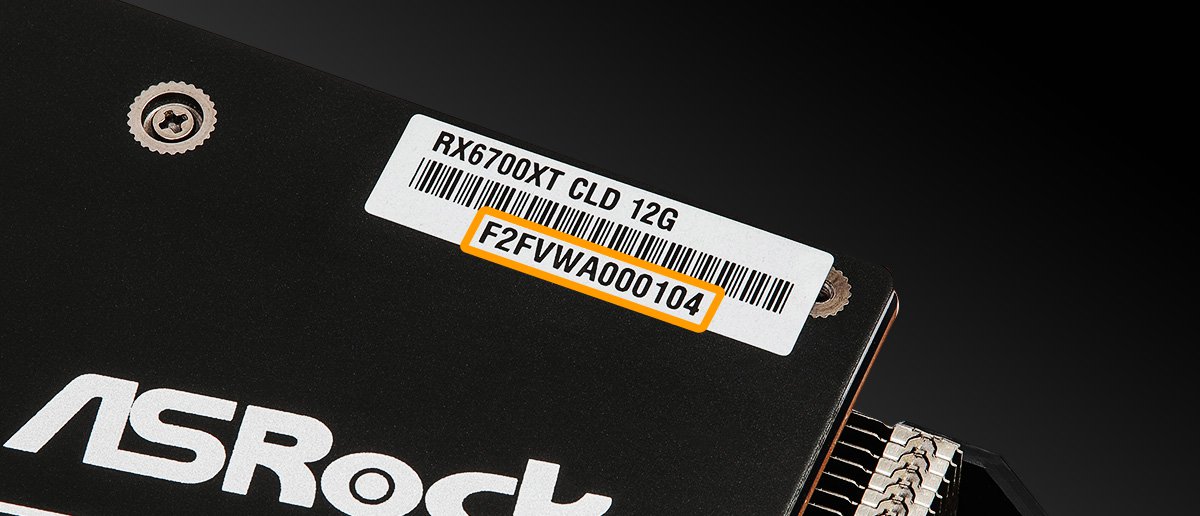
You may also find the S/N sticker on the graphics card. The S/N sticker is a white or gray color sticker, and is usually stick put on the backplate of the graphics card.
 القائمة