Motherboards button
اللوحات الأم
Graphics Card button
بطاقة الرسومات
Monitors button
شاشة الألعاب
Power Supply button
Power Supply
Mini PC button
كمبيوتر صغير
AIO Liquid Coolers button
AIO Liquid Coolers
Industrial PC button
خادم
Server/WS button
الكمبيوتر الصناعي/WS
Loading

We use cookies to offer you a more personalized and smoother experience.
By visiting this website, you agree to our use of cookies. If you prefer not to accept cookies or require more information, please visit our Privacy Policy.
BIOS Version Finding

How to identify the BIOS version of your motherboard
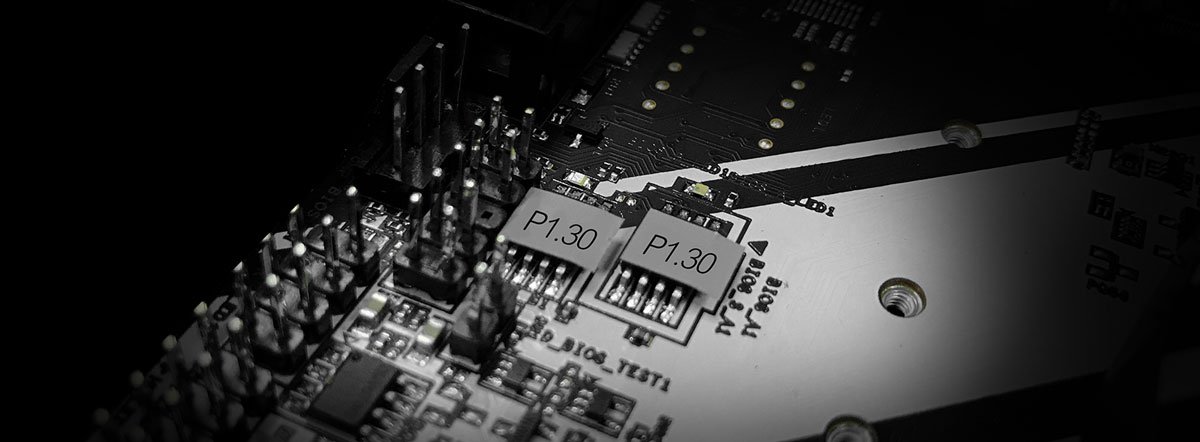
  1. There is a sticker on the BIOS chipset, which contains the default BIOS version. If your BIOS version has never been updated, then the version marked on the sticker is your current BIOS version:
    Find BIOS Version Step 1
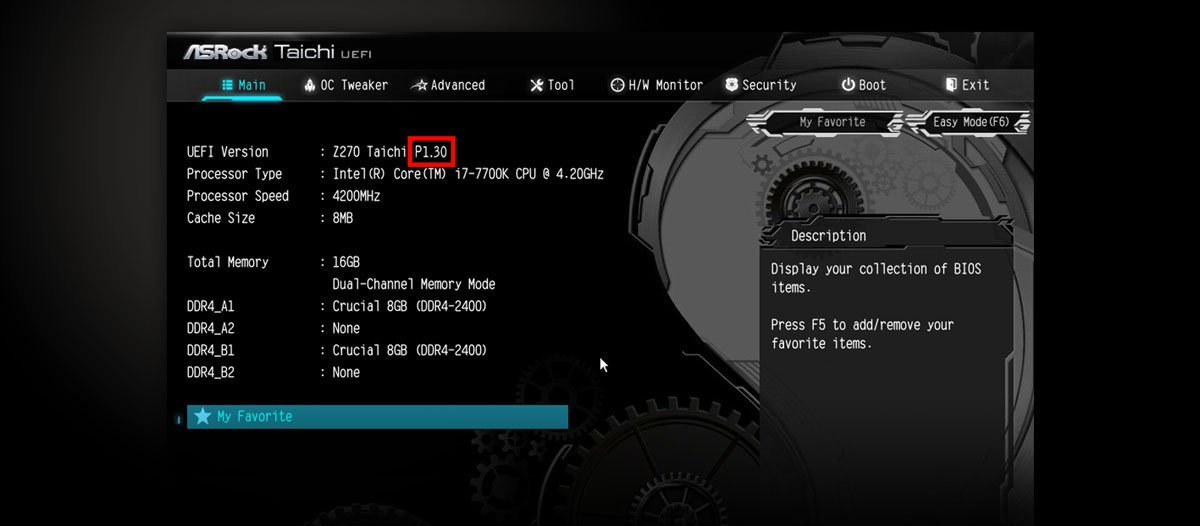
  2. When your computer is starting up, press F2 to enter the BIOS setup. You can check the BIOS version in “BIOS version” item under Main menu:
    Find BIOS Version Step 2
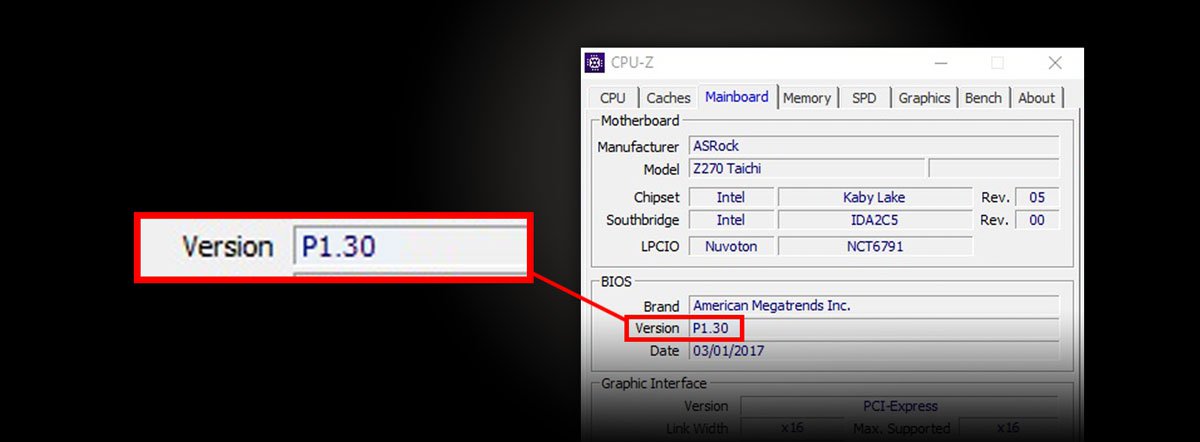
  3. In Windows OS, you can use system detection software such as CPU-Z to check the BIOS version.
    Find BIOS Version Step 3