우리는 더 개인화되고 더 부드러운 경험을 제공하기 위해 쿠키를 사용합니다. 이 웹사이트를 방문하면 쿠키 사용에 동의하는 것 입니다. 쿠키를 허용하지 않거나 추가 정보가 필요한 경우 당사의 개인 정보 보호 정책을 방문하십시오.
필수 쿠키 이 쿠키는 웹사이트의 정상적인 작동에 필수적이며 비활성화할 수 없습니다.
분석 쿠키 이 쿠키는 방문자가 웹사이트를 어떻게 사용하는지 파악하는 데 도움이 됩니다.
마케팅 쿠키 이 쿠키는 방문자를 추적하고 관련 광고를 표시하는 데 사용됩니다.
소셜 미디어 쿠키 이 쿠키를 사용하면 소셜 미디어에서 페이지와 콘텐츠를 공유할 수 있습니다.
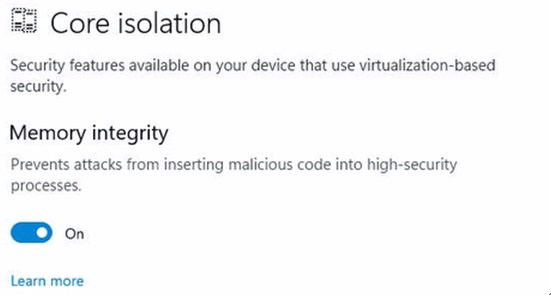
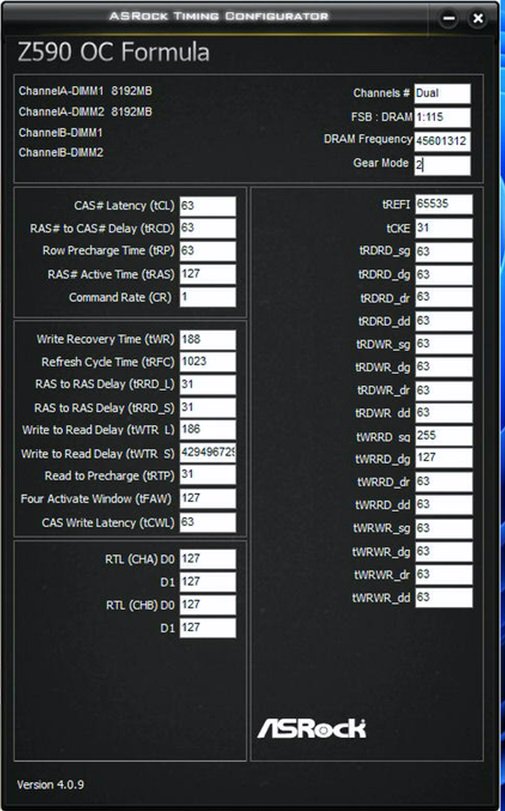
Q: Why does the ASRock Timing Configurator show strange values, and how can I use this OC software under Windows 11? (10/1/2021) A: Microsoft® Windows 11® has a security function called "Memory integrity”. This function can prevent attacks from inserting malicious code into high-security processes, but it will interfere with the ability to read sensor values and affect the function of OC software.
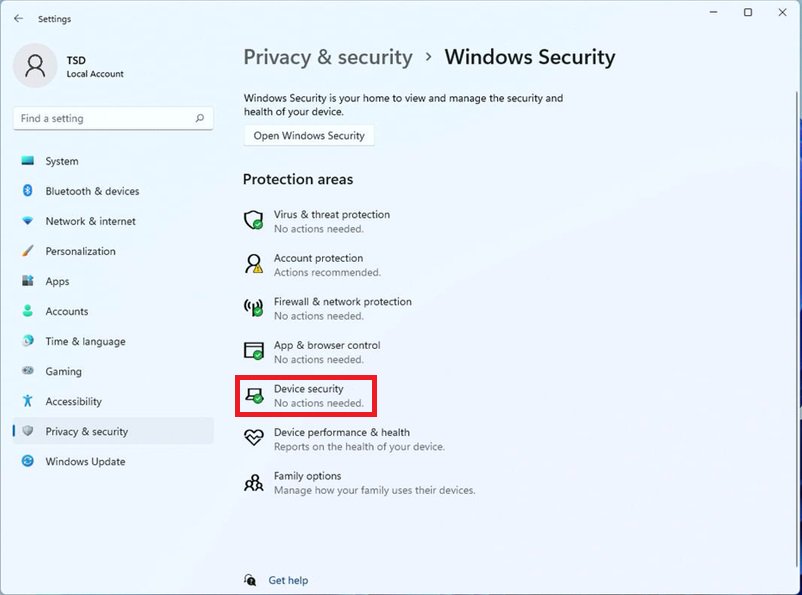
We recommend temporarily disabling this function when you would like to use OC software. Please refer to the following steps to deactivate it.
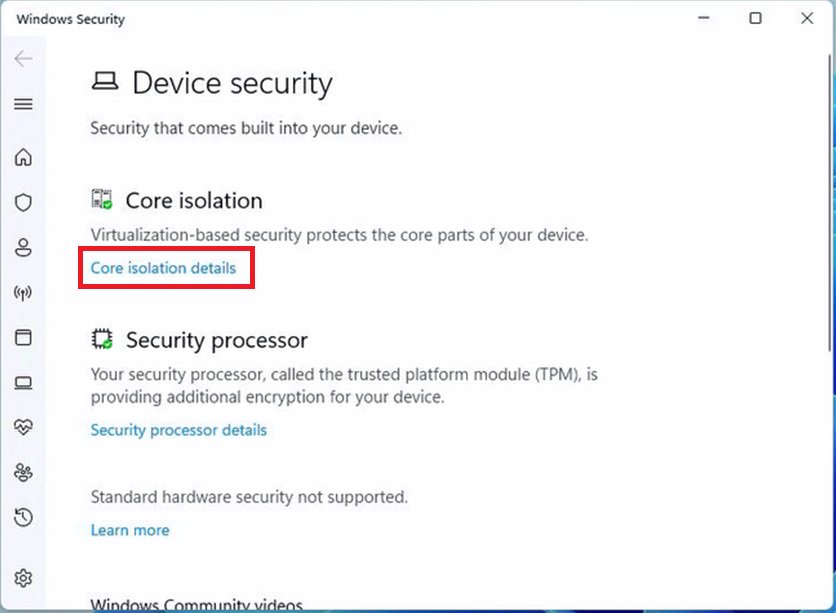
Step.2 Press "Core isolation details”.
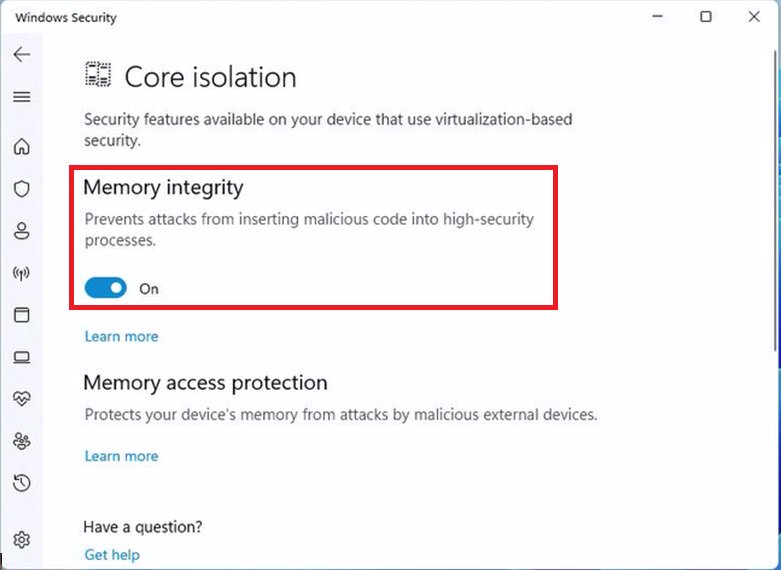
Step.3 Disable "Memory integrity” and restart the system to apply the setting.
 메뉴
메뉴














 (10/1/2021)