우리는 더 개인화되고 더 부드러운 경험을 제공하기 위해 쿠키를 사용합니다. 이 웹사이트를 방문하면 쿠키 사용에 동의하는 것 입니다. 쿠키를 허용하지 않거나 추가 정보가 필요한 경우 당사의 개인 정보 보호 정책을 방문하십시오.
필수 쿠키 이 쿠키는 웹사이트의 정상적인 작동에 필수적이며 비활성화할 수 없습니다.
분석 쿠키 이 쿠키는 방문자가 웹사이트를 어떻게 사용하는지 파악하는 데 도움이 됩니다.
마케팅 쿠키 이 쿠키는 방문자를 추적하고 관련 광고를 표시하는 데 사용됩니다.
소셜 미디어 쿠키 이 쿠키를 사용하면 소셜 미디어에서 페이지와 콘텐츠를 공유할 수 있습니다.
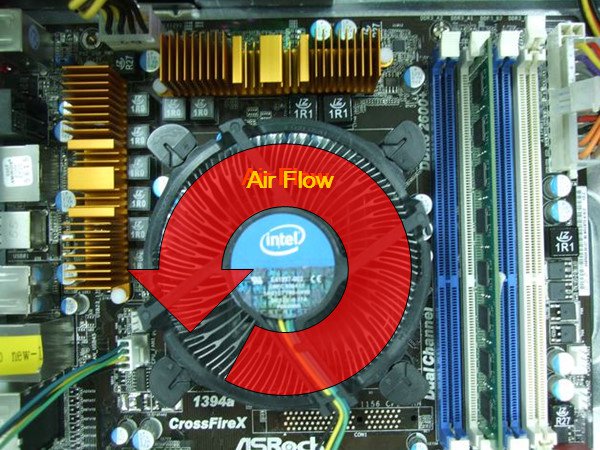
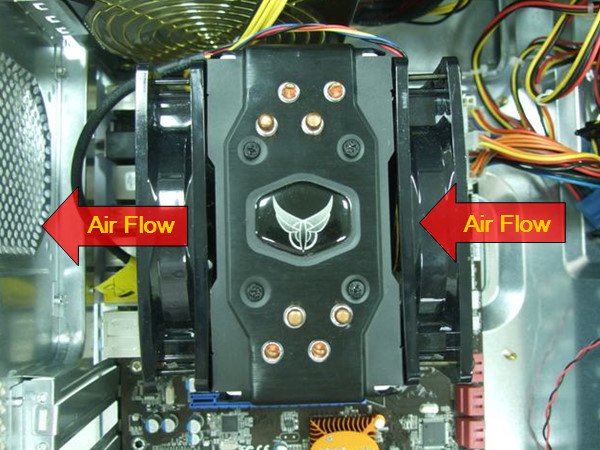
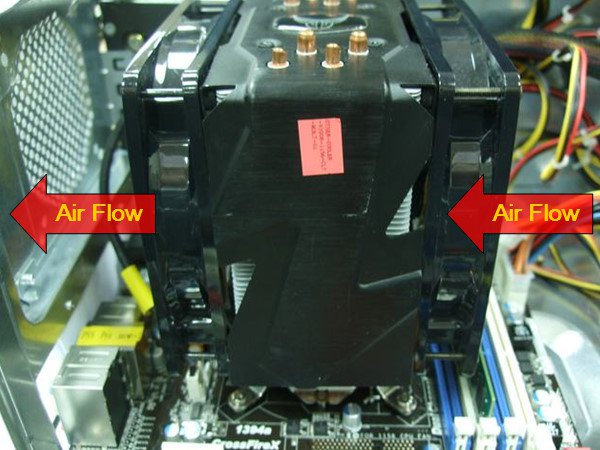
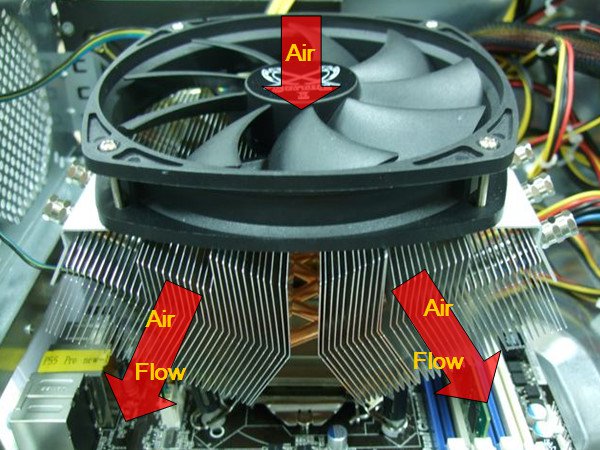
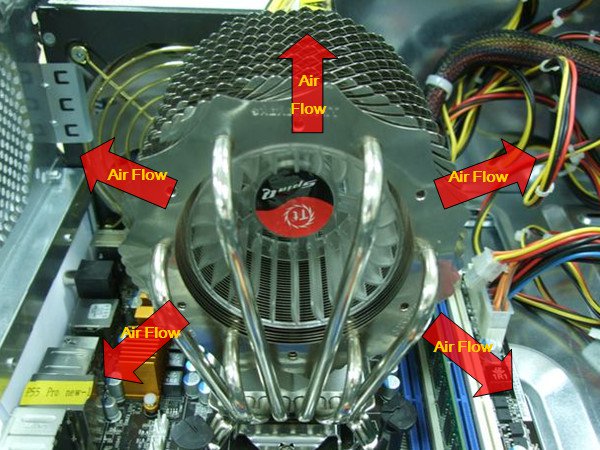
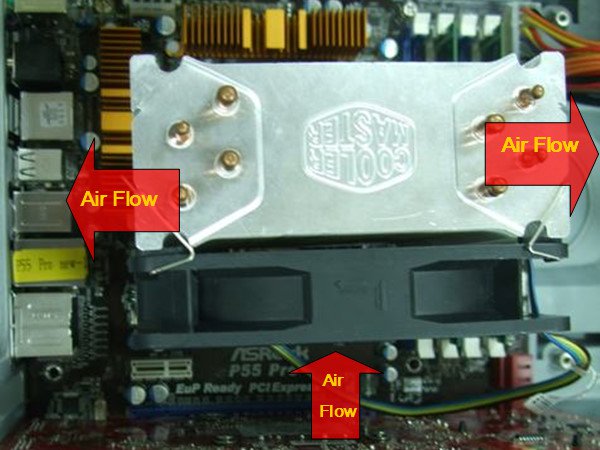
Q: How to create more air flow on P55 and H55 series motherboards?(5/6/2010) A: Please kindly install the CPU FAN as the following example photos to improve air flow. After install, please check the air flow direction in the system.
1. With Intel® BOX CPU fan.
2. With VIGOR Monsoon III LT CPU cooler
3. With Scythe Grand Kama Cross CPU cooler
4. With Thermaltake Spin Q CPU cooler.
5. With Cool Master Hyper 212 plus CPU fan
If your CPU fan is not in the example photos, please kindly check the manufacturer web site or contact the dealer for more detail information.
 메뉴
메뉴