Motherboards button
Placas-mãe
Graphics Card button
Placas de vídeo
Monitors button
Monitor Gamer
Power Supply button
Fonte de alimentação
Industrial PC button
PC Industrial
Server/WS button
Servidores/Estações
Loading

Usamos cookies para oferecer uma experiência mais personalizada e suave.
Ao visitar este site, você concorda com o nosso uso de cookies. Se preferir não aceitar cookies ou exigir mais informações, visite nossa Política de Privacidade.

Perguntas Frequentes

Caso você saiba a categoria da sua dúvida, você pode escolher uma das categorias abaixo para perguntas frequentes. Catalogo:

Resultados:
Q (531): My software requires Secure Boot to be enabled. How can I set it up?(8/16/2023)
A:Please follow the steps below to enable Secure Boot.
Step 1.
Please press the "F2” key during POST to enter BIOS setup.
Go to Boot\CSM (Compatibility Support Module) and set "CSM" to "Disabled".
Press the "F10” key to save configuration changes.
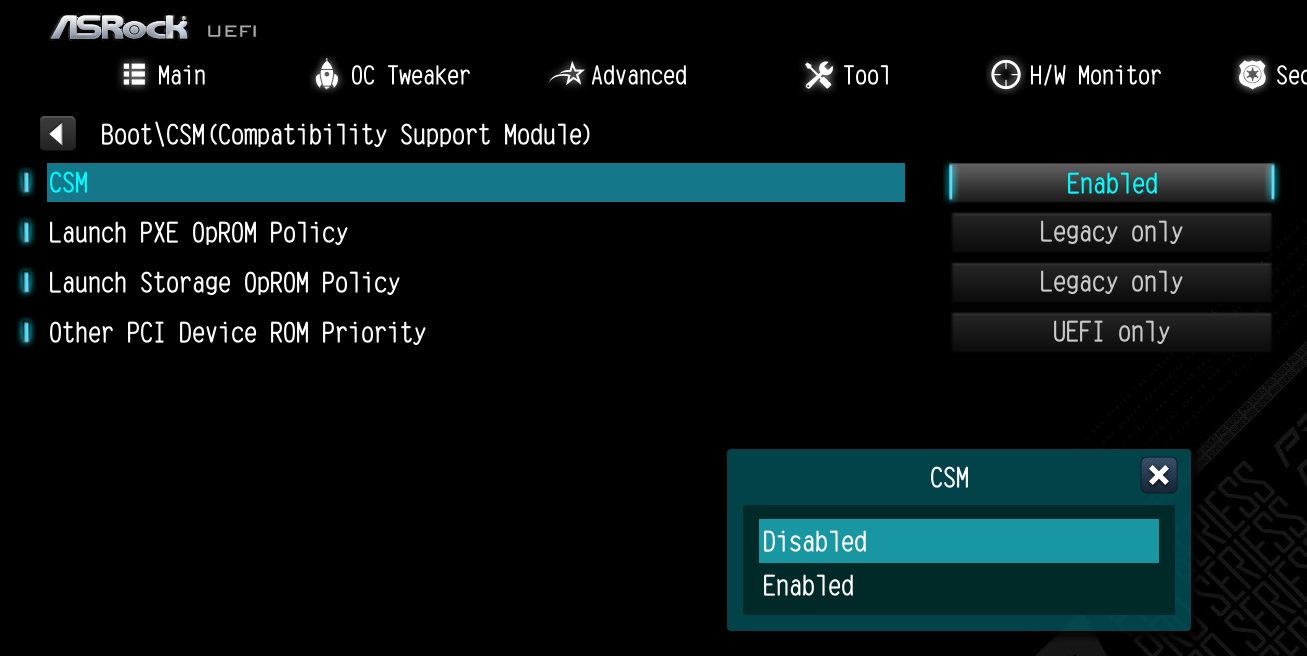
Please press the

Step 2.
Go to Security\Secure Boot and set "Secure Boot Mode" to "Custom".
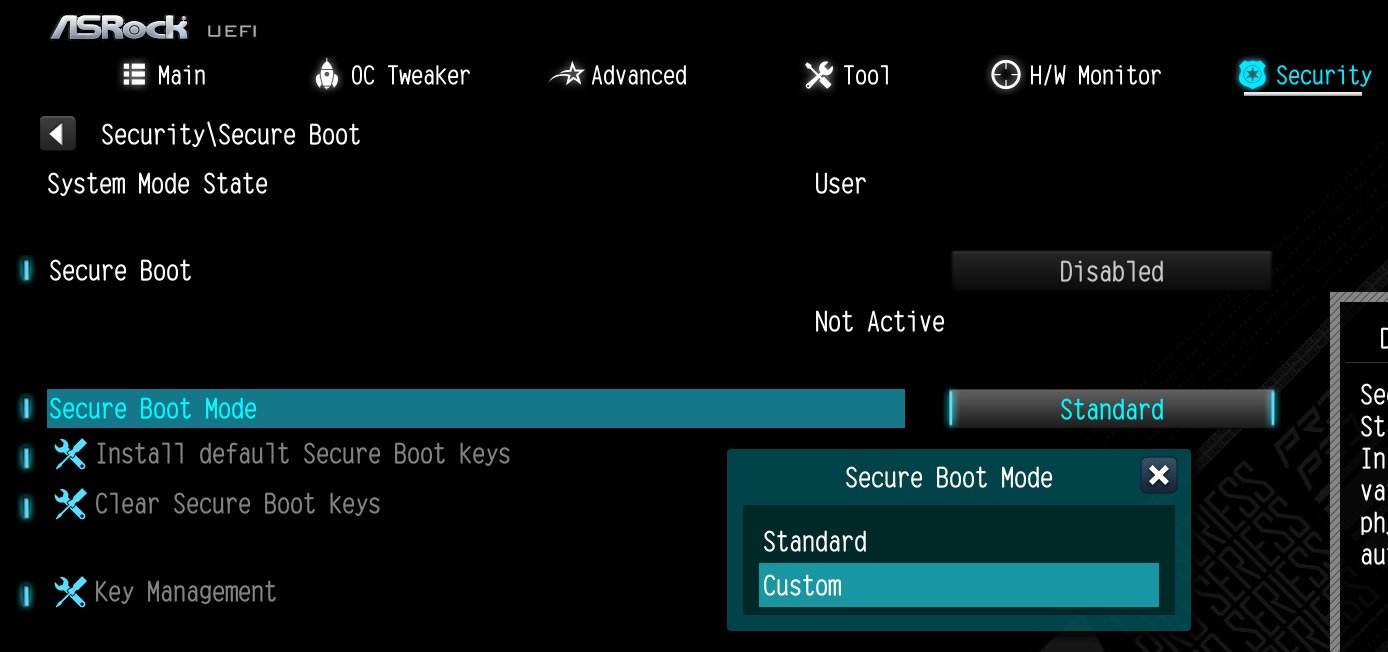
Go to Security\Secure Boot and set Secure Boot Mode to Custom.

Step 3.
Please press "Install default Secure Boot keys" and select "Yes" to install Secure Boot keys.
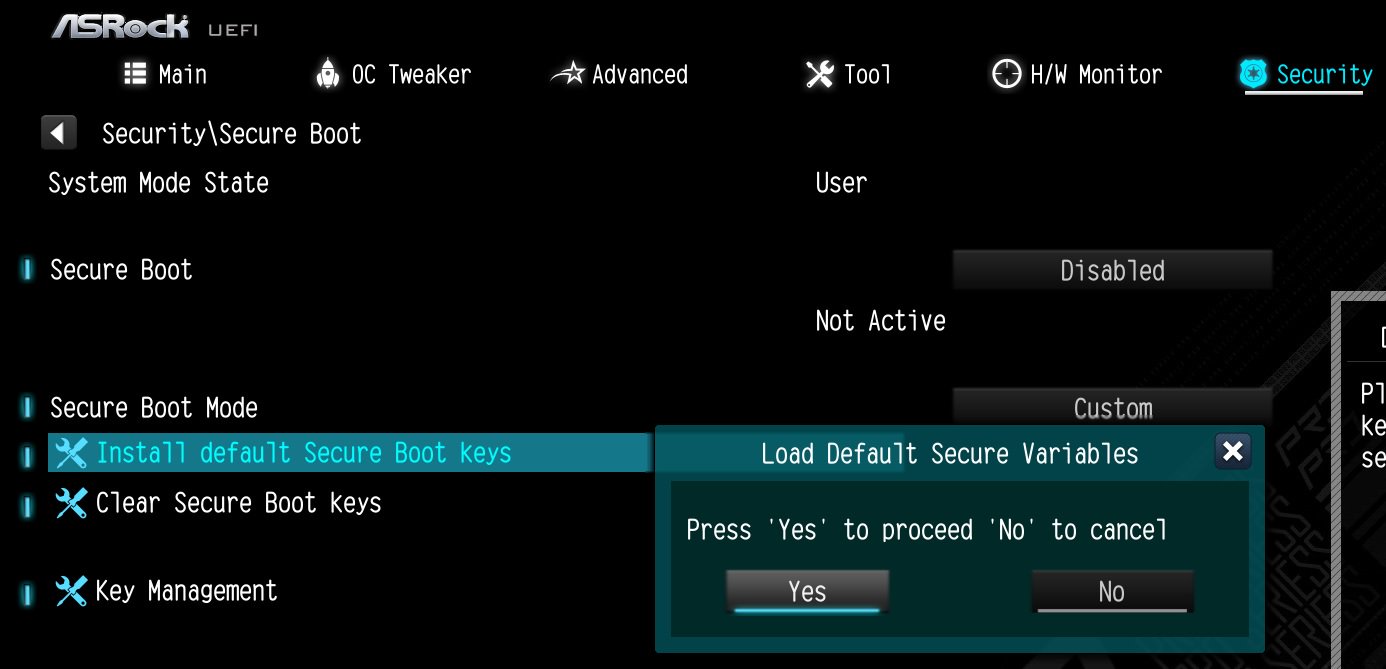
Please press Install default Secure Boot keys and select Yes to install Secure Boot keys.

Step 4.
Set "Secure Boot" to "Enabled". Then press the "F10" key to save configuration changes.
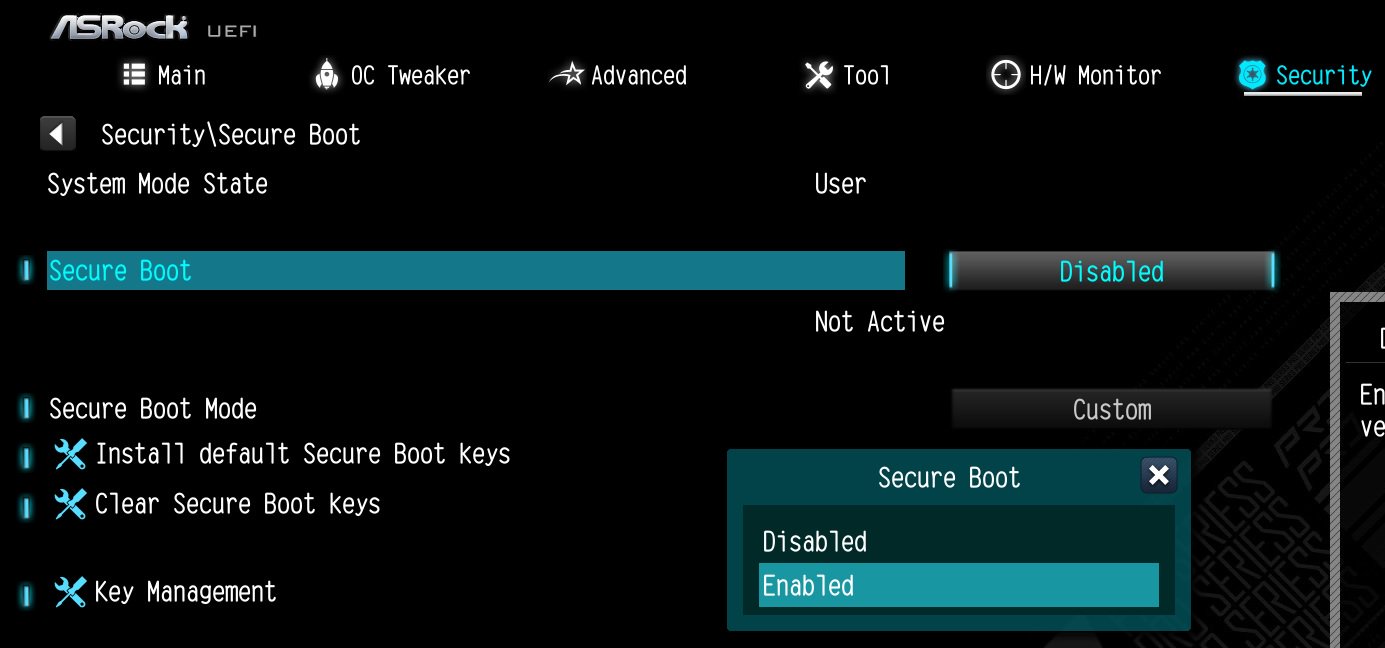
Set Secure Boot to Enabled. Then press the F10 key to save configuration changes.

Step 5.
After the system restarts, go to Security\Secure Boot, and make sure that Secure Boot is showing "Active".
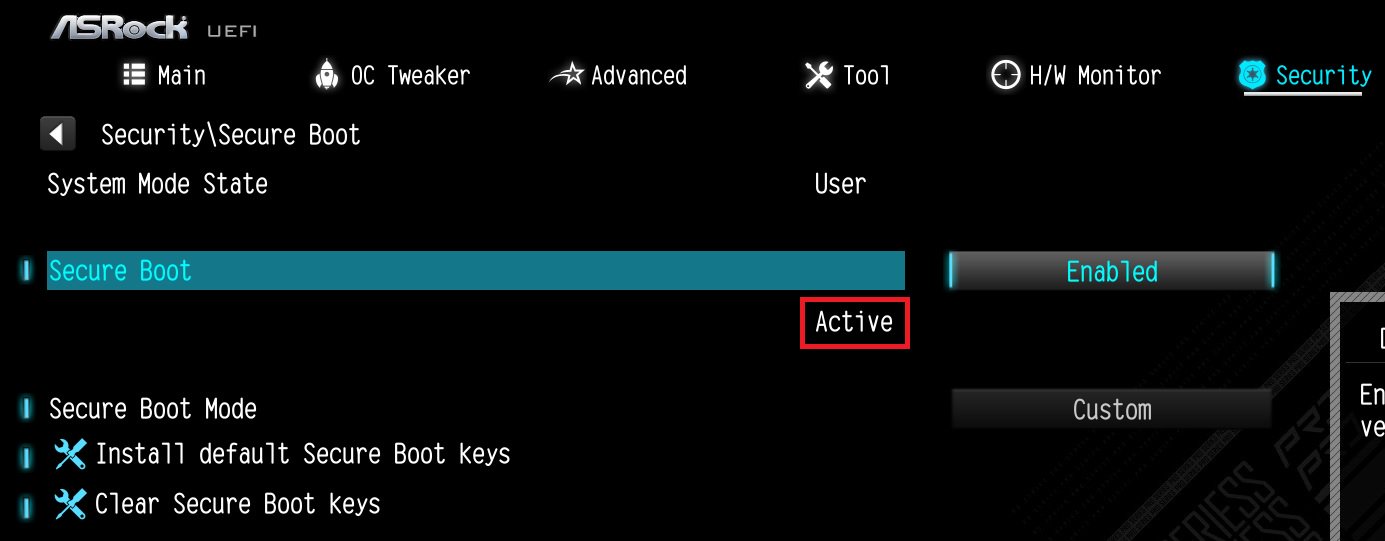
After the system restarts, go to Security\Secure Boot, and make sure that Secure Boot is showing Active.

*AM5 platform
If a prompt "Discard Changes and Exit" appears after clicking "Install default Secure Boot keys" and selecting "Yes", please select "No" and continue to step 4.
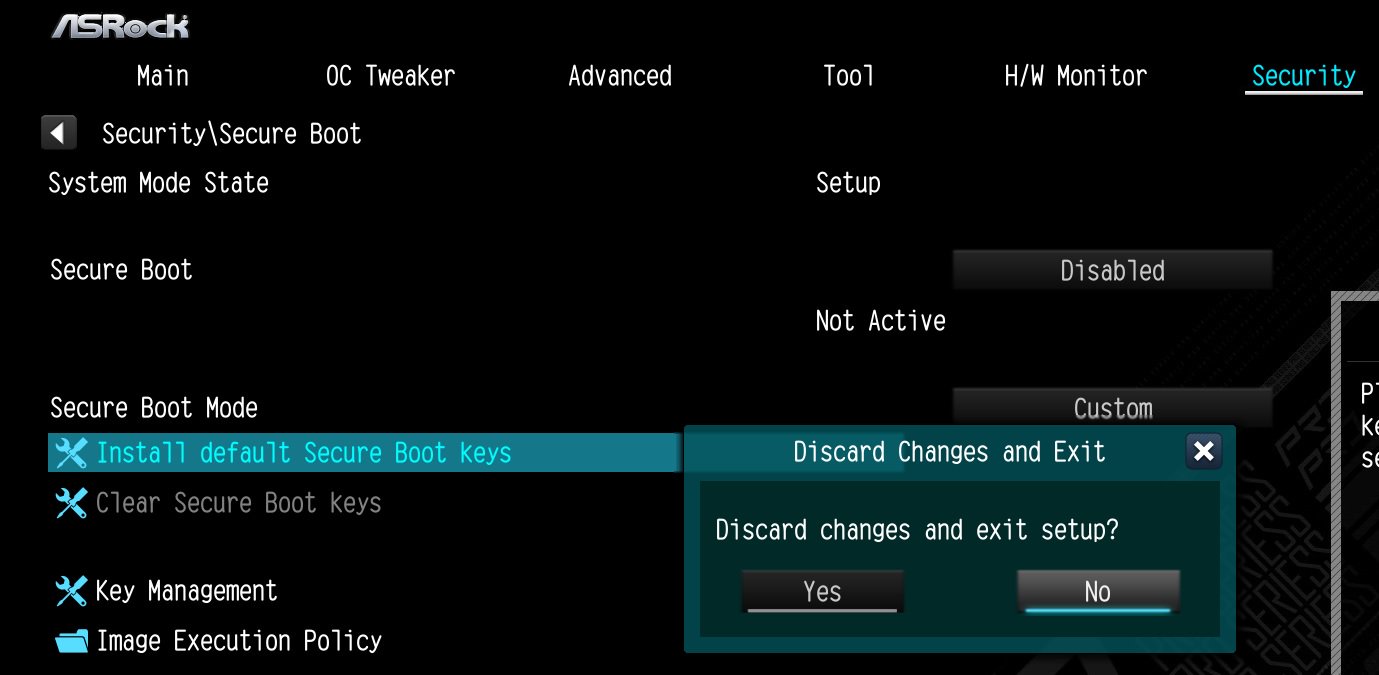
If a prompt Discard Changes and Exit appears after clicking Install default Secure Boot keys and selecting Yes, please select No and continue to step 4.

#Secure #Boot #Secure #Boot #keys #Active #Valorant